
Make is an automation platform that connects apps and allows you to create automated workflows.
In this guide, you'll discover its main capabilities, understand who the tool may be useful for, and find official information about its plans.
Features and pricing may change. Check the official information before subscribing.
What is Make?
Make allows you to connect different apps and configure steps to automate tasks according to the needs of each process.
What can you do with it?
Some of its possible uses include:
- Connecting apps and services.
- Automating repetitive tasks.
- Creating workflows between different tools.
The available features depend on the integrations and the terms of the selected plan.
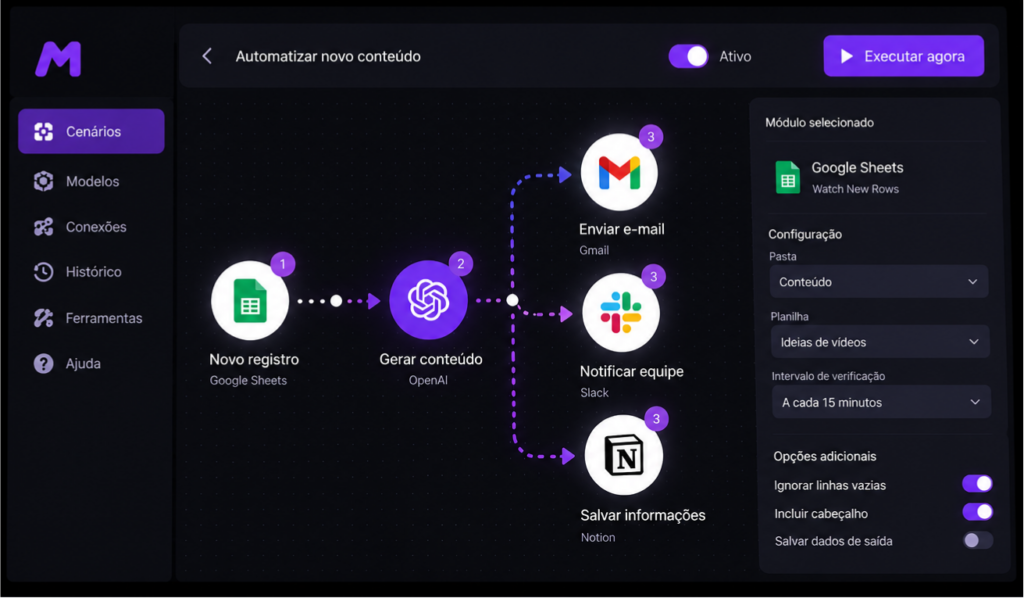
Examples of automations with Make
Make can connect different services to reduce everyday manual tasks. For example, you can create a workflow that records new contacts from a form in a spreadsheet or organizes information received by email.
Another possibility is to integrate tools used in content production, transferring data between apps according to rules defined by the user. Small businesses can also organize processes for tracking requests and updating records.
These workflows depend on the connected apps, the permissions granted, and the features available in the selected plan. Before automating an important process, test it with non-sensitive data and check that each step works as expected.
Ideally, start with a simple automation, check the results, and gradually expand the workflow. This way, you can better understand the tool before investing time in more complex processes.
Make plans and pricing
Before choosing a Make plan, check the prices, operation limits, and features included in each option. The ideal choice depends on the number of automations you plan to run and the apps you need to connect.
To check the latest prices and terms, visit the official Make website.
How to choose a Make plan
Before choosing a plan, consider how many automations you intend to run, which apps you need to connect, and how often the workflows will be used.
If you're just getting started, try creating a simple automation before developing more complex workflows. This will help you evaluate your needs and identify the most suitable features.
Who might benefit from Make?
Make may be a good option for:
- Professionals who want to automate tasks.
- Entrepreneurs looking to organize their processes.
- Teams that use different apps in their daily work.
The right choice depends on your needs, available integrations, and budget.
Our conclusion
Make may be a good option for those who want to connect apps and automate repetitive tasks, reducing manual steps in their daily routines.
Before subscribing, evaluate your needs and check the features, limits, and prices of the available plans.
If you want to explore the platform, check out the available options on the official website.
Transparency: Some links on this page may generate a commission for Caminho IA at no additional cost to you. Our informational review does not represent hands-on testing of the tool.
Looking for AI tools to create videos? Check out our InVideo AI guide to discover its main features, who it's designed for, and where to find information about its plans.